Features
Every tool you need for complete financial visibility. All running locally on your device.
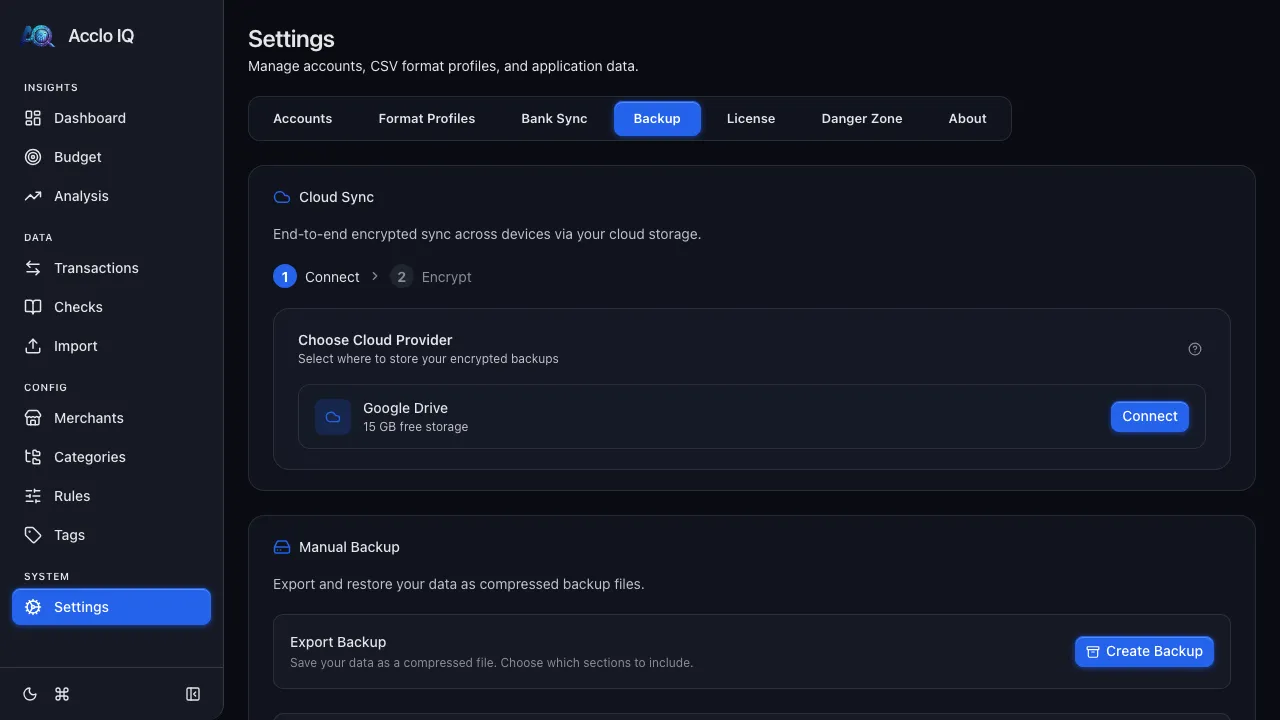
Auto-Categorization
Every transaction is matched against your rule library — case-insensitive regex with longest-match priority. Build rules once, and every future import is categorized automatically.
- Regex patterns with longest-match-wins priority
- Three-tier scoping: global, account-type, or account-specific
- Per-rule category overrides beyond merchant defaults
- Test rules against descriptions before saving
Dashboard
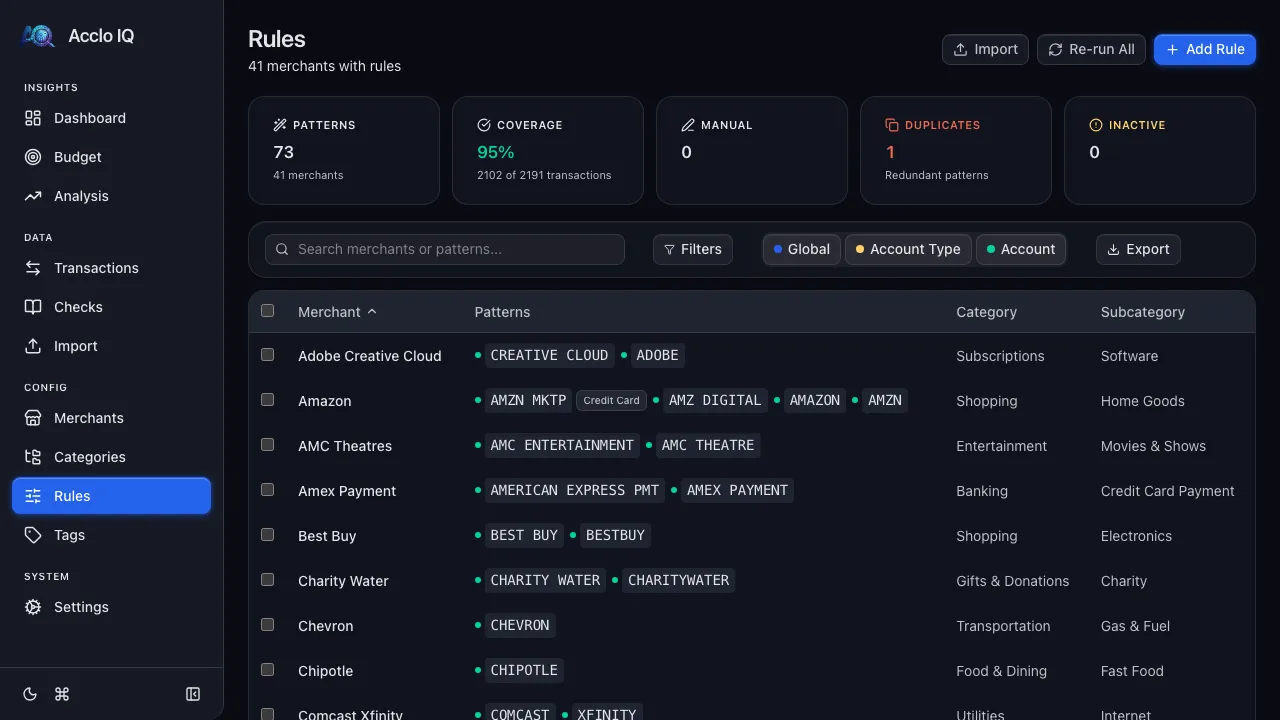
See your spending, income, and trends summarized in real-time KPI cards and charts. Spending by category, top merchants, and net cash flow — all on one screen.
- KPI cards with animated counters
- Spending trend charts (Recharts)
- Summary tables by category and merchant
- Drill-down navigation to transactions
Budgets
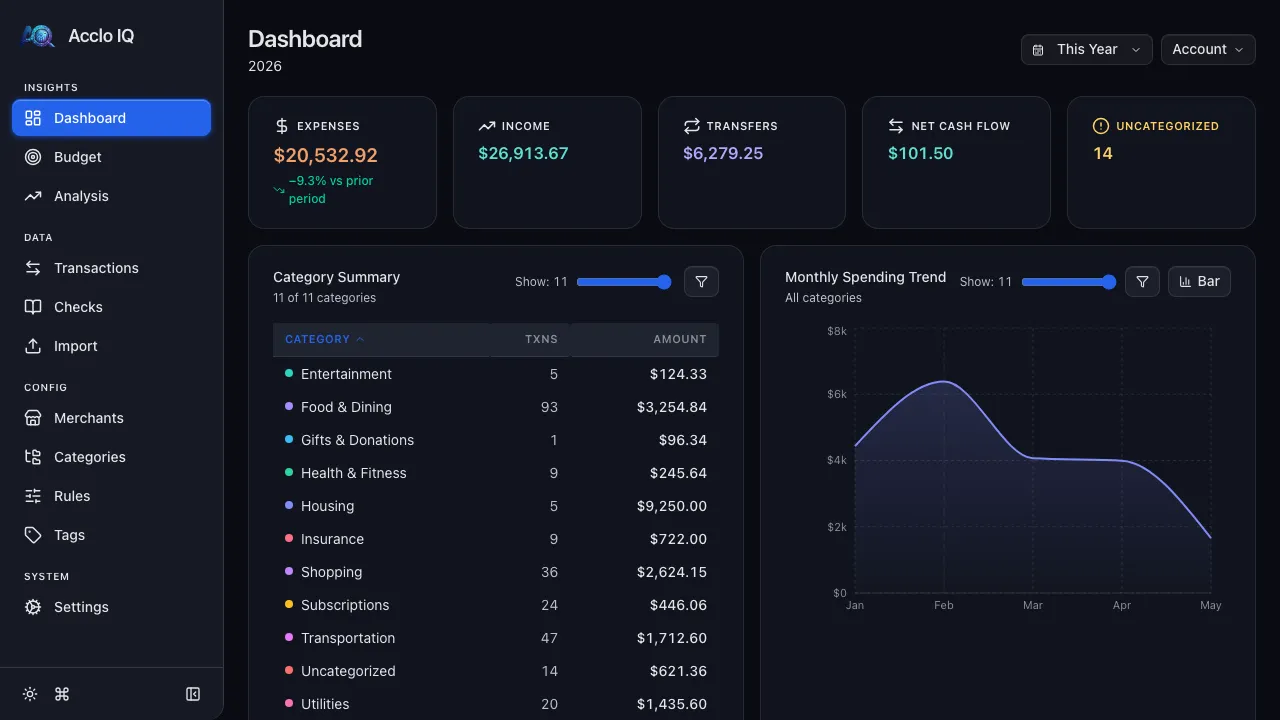
Set monthly spending targets at the category or subcategory level. Each budget shows exactly how much is committed to recurring charges vs how much you can freely spend — a split no other app provides.
- Category or subcategory-level targets
- Stacked progress bars: recurring vs flex spending
- Budget history and trends (Pro)
- Recurring floor warnings when budget is too low
Recurring Detection
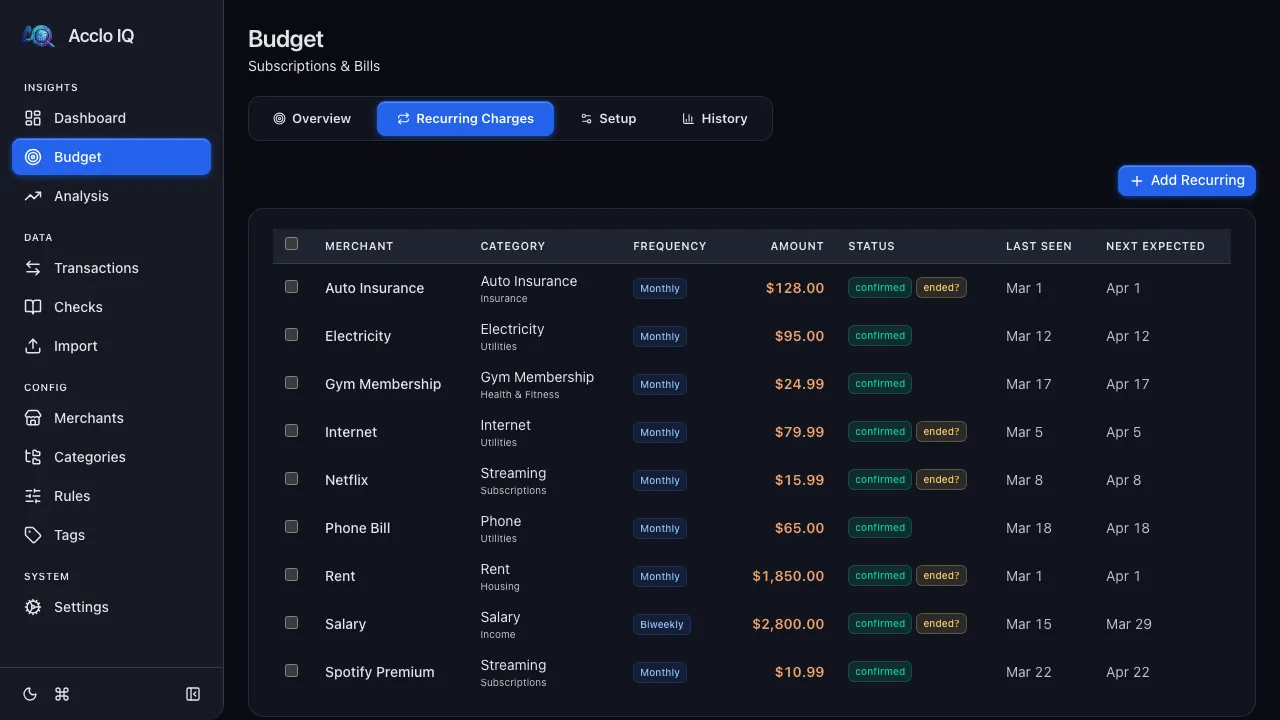
Acclo IQ scans your transaction history and identifies recurring charges automatically — subscriptions, bills, memberships. Confirm with one click, and your budget instantly shows how much is committed vs flexible.
- Auto-detection with confidence scoring
- Per-category recurring vs flex budget split
- Upcoming charges timeline with overdue alerts
- System tag for seamless transaction tracking
Spending Analysis
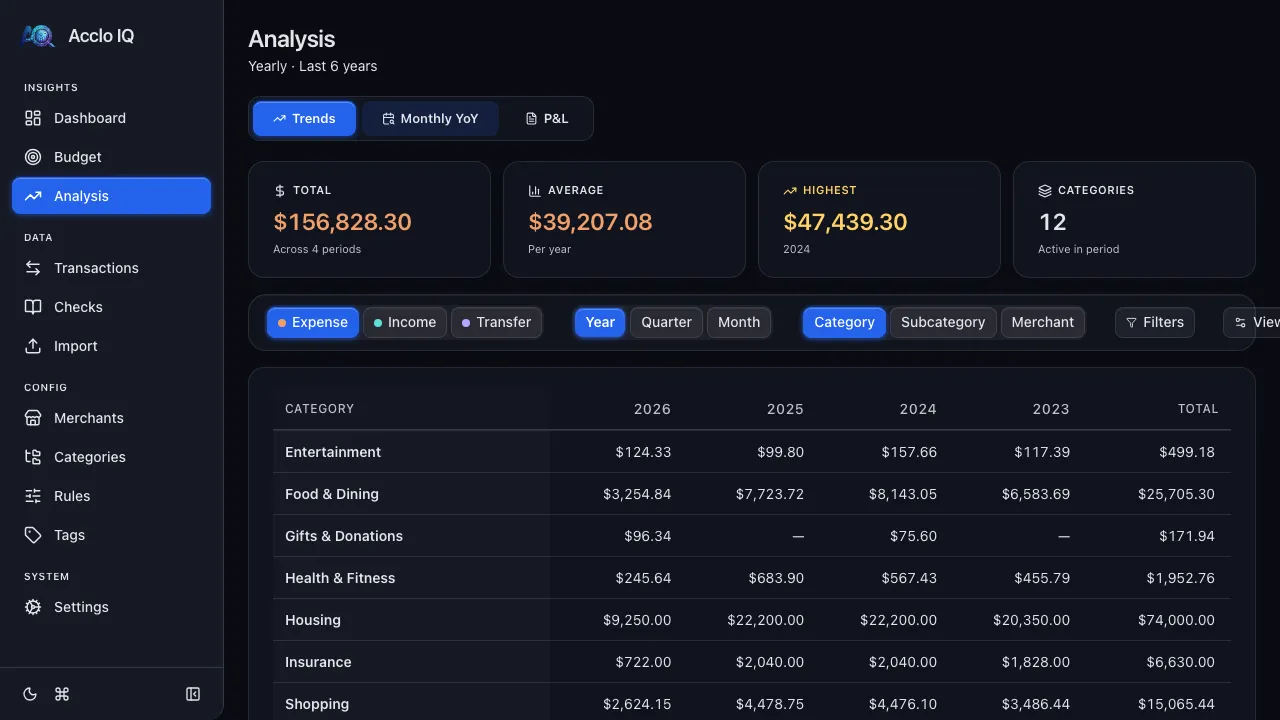
Slice your spending by category, subcategory, merchant, or time period. Pro users unlock year-over-year comparisons and unlimited history.
- Pivot by category, subcategory, merchant
- Period filtering with custom date ranges
- Year-over-year comparisons (Pro)
- Full history analysis beyond 12 months (Pro)
CSV Import
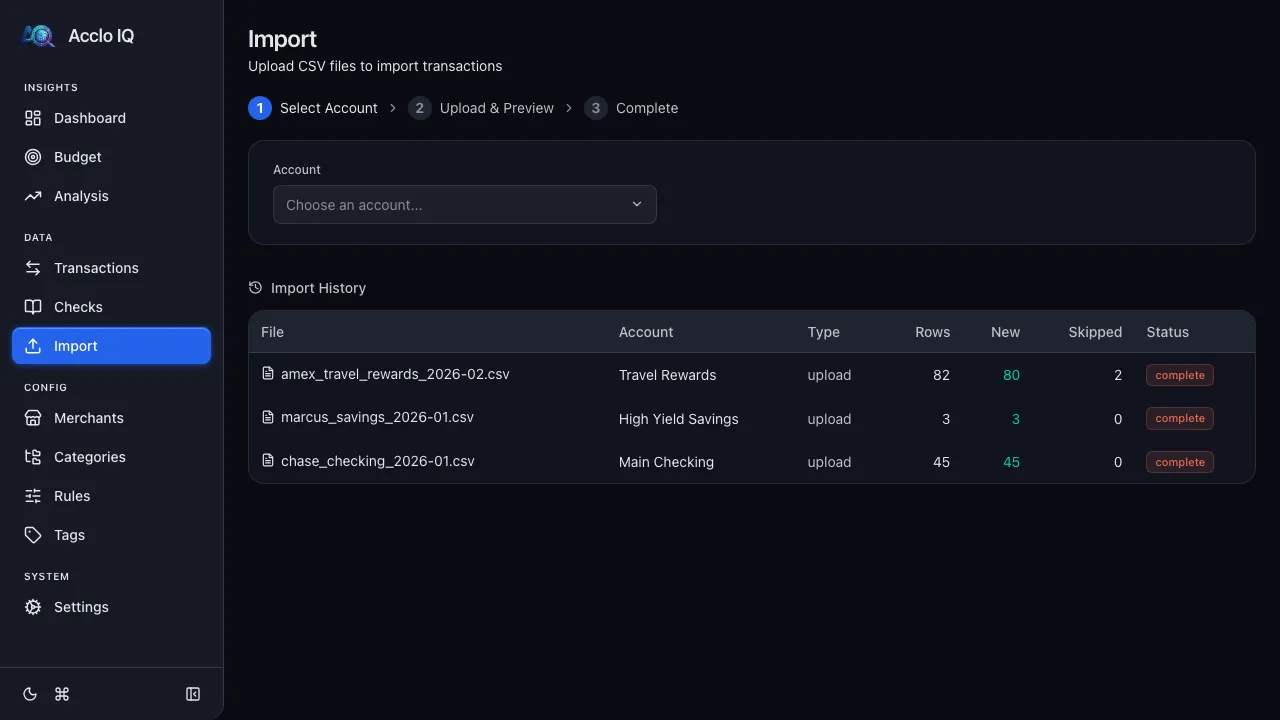
Import CSV exports from any bank. Format Profiles map your bank's column layout to the app's schema. Built-in profiles for major banks, or create custom ones.
- Format Profiles for column mapping
- Built-in profiles for major banks
- SHA-256 deduplication (same file won't import twice)
- Import audit trail with batch tracking
Bank Sync
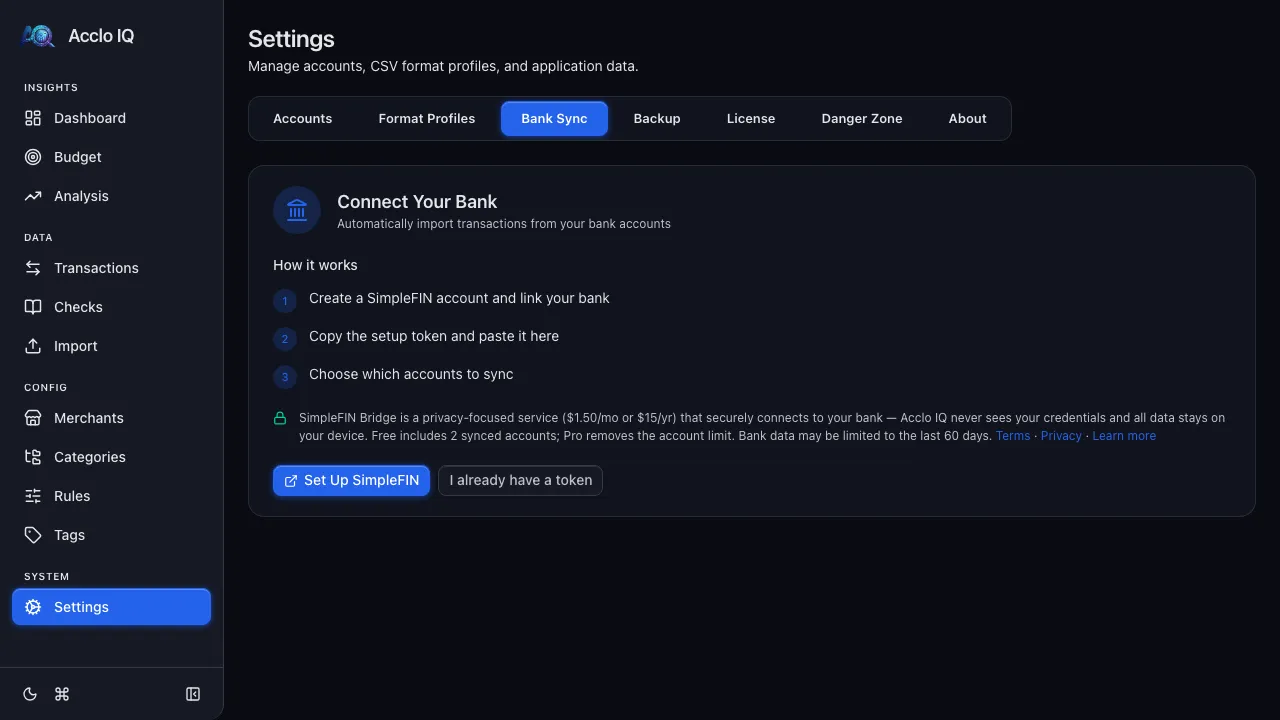
Connect to thousands of banks via SimpleFIN for automatic transaction import. SimpleFIN’s connection provider handles your bank login — Acclo IQ never receives your bank-login credentials, and your synced transactions are stored on your device, not on any Acclo IQ server.
- SimpleFIN bridge to thousands of institutions
- Automatic deduplication via transaction IDs
- Rule engine categorizes on import
- Acclo IQ requests up to 90 days per sync
- Uses your own SimpleFIN account ($1.50/mo or $15/yr plus applicable tax, paid directly to SimpleFIN)
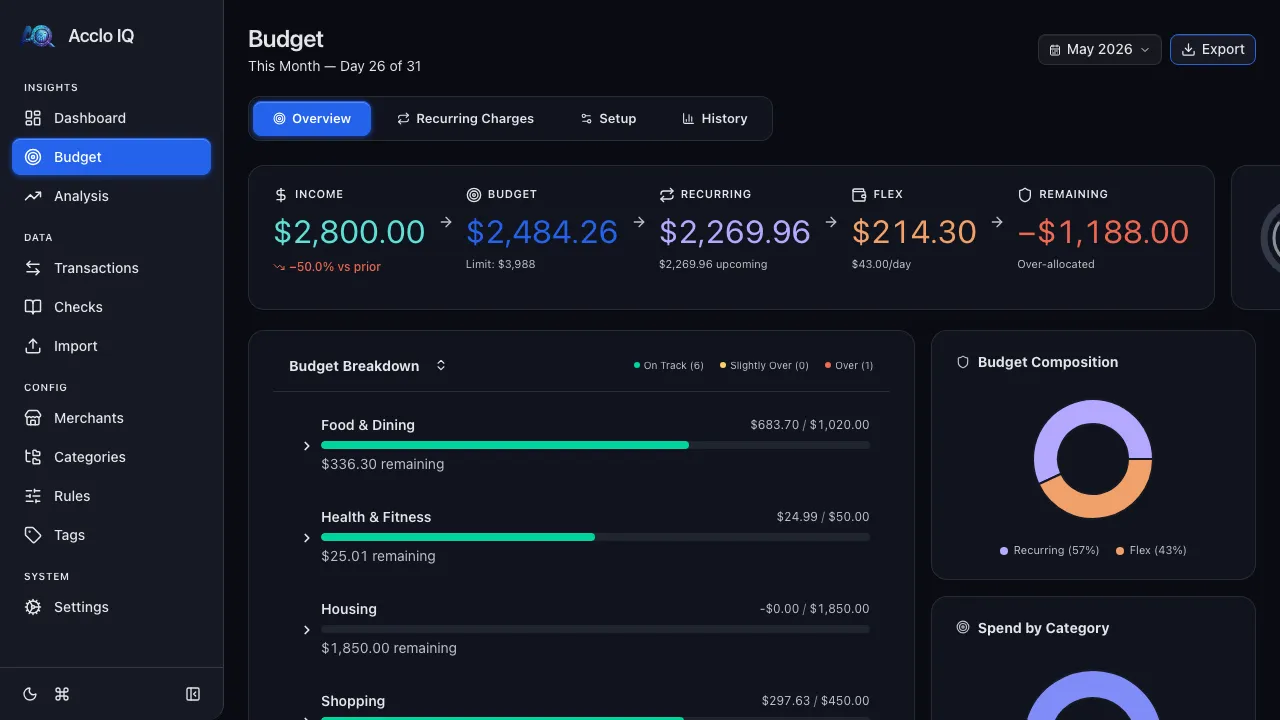
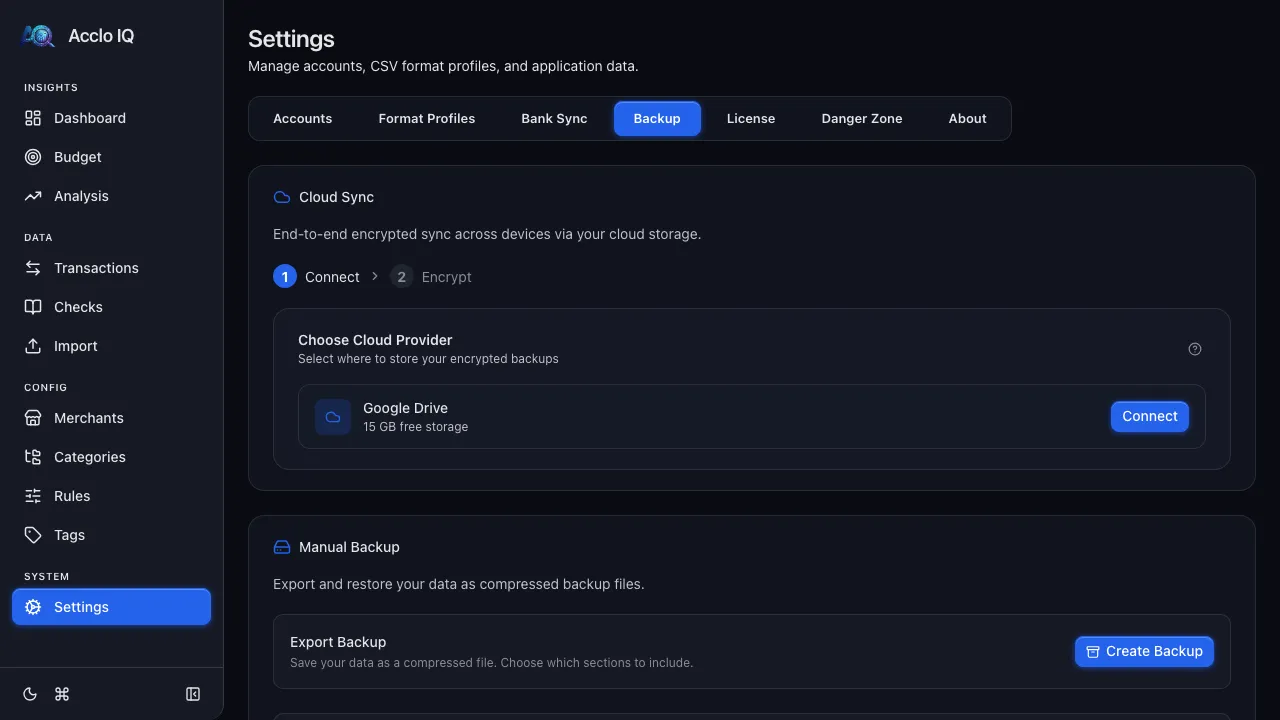
Cloud Sync
Sync across devices using your own Google Drive. CRDT-based merge with hybrid logical clocks — no conflicts, no data loss. Encrypted with your password.
- AES-256-GCM end-to-end encryption
- CRDT LWW-Register with Hybrid Logical Clocks
- Encrypted payloads in your cloud storage
- No Acclo IQ server stores your encrypted sync payloads
Backup & Restore
Export your financial data to a compressed archive. Restore on any device with replace or merge mode. Your data is always yours.
- Compressed JSON archive (.json.gz)
- Replace or merge restore modes
- Atomic restore with pre-restore snapshots
- Version migration for forward compatibility